The Media app plays the sound and video on your drive, and is where Gridtop's media tools are installed: tools for converting video, turning speech into text, and drawing pictures.
Media, in the app drawer, carries the description Play media on the Gridtop. Double-click a sound or video file in the File Directory, and it plays here. Some video files are made in ways a browser cannot play; for these, the app shows Picture unsupported here. Process for Streaming. Processing makes a copy that plays anywhere, using the media tools (24.4).
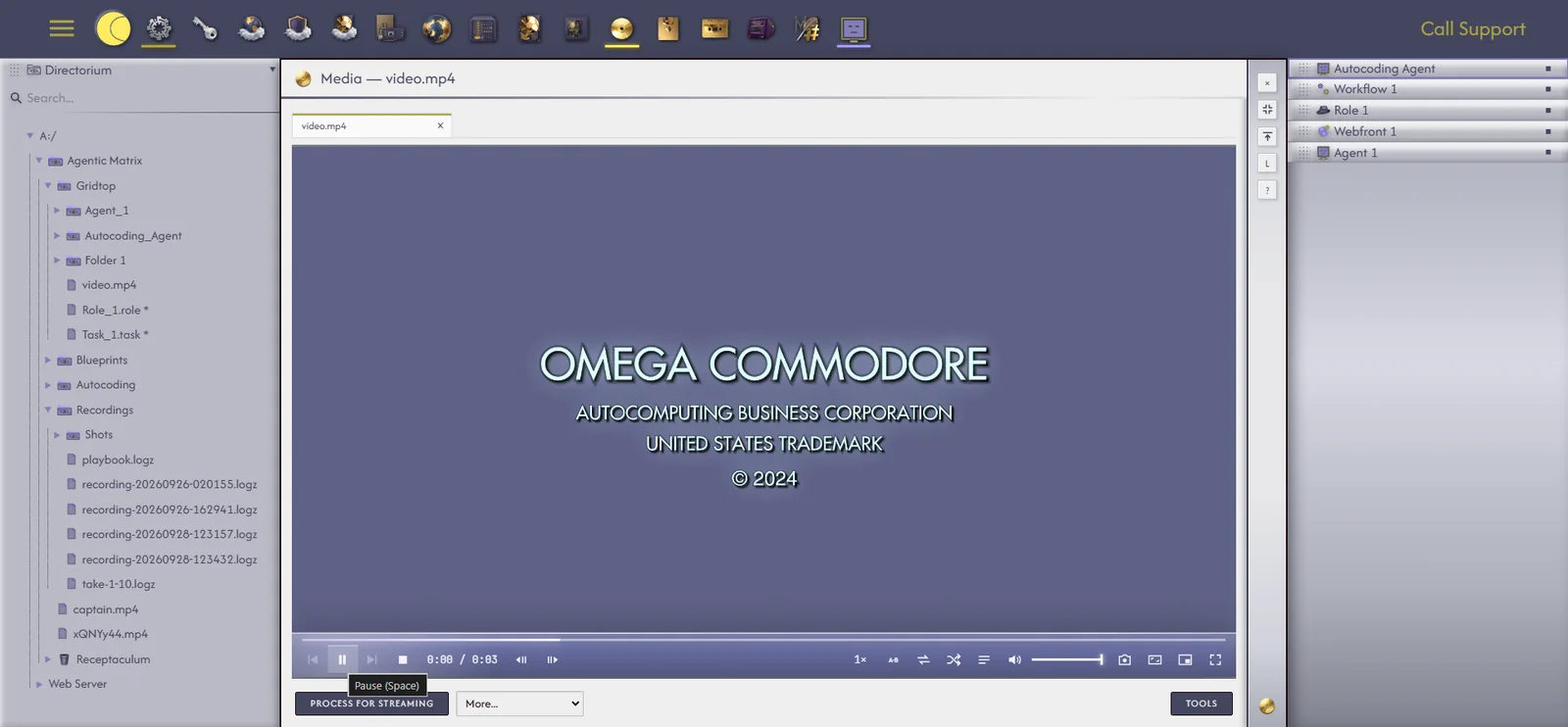
The player's controls sit over the picture and fade while you watch. Beyond play and pause, they offer:
While something plays, a spinning disc appears in the app drawer, so you always know that sound is coming from your Gridtop, and where to go to stop it.
Converting video, transcribing speech and drawing pictures take more computing power than is fair to take from a shared server, so Gridtop does this work on your own computer, through Autocomputing '26 (chapter 40). The Tools panel of the Media app lists the tools, each Installed or Not installed:
To install a tool, click Install beside it. It downloads to your computer, is checked to be exactly the file it should be, and is ready; Cancel stops a download in progress. Without the app running, the panel says Your PC is offline. Tools install in Autocomputing '26.