When something goes wrong, the quickest way to have it put right is to show us exactly what happened. The Logs app is built for that: it keeps a record of your Gridtop's activity, sends reports to us with the details we need, and records what you do on Gridtop and plays it back.
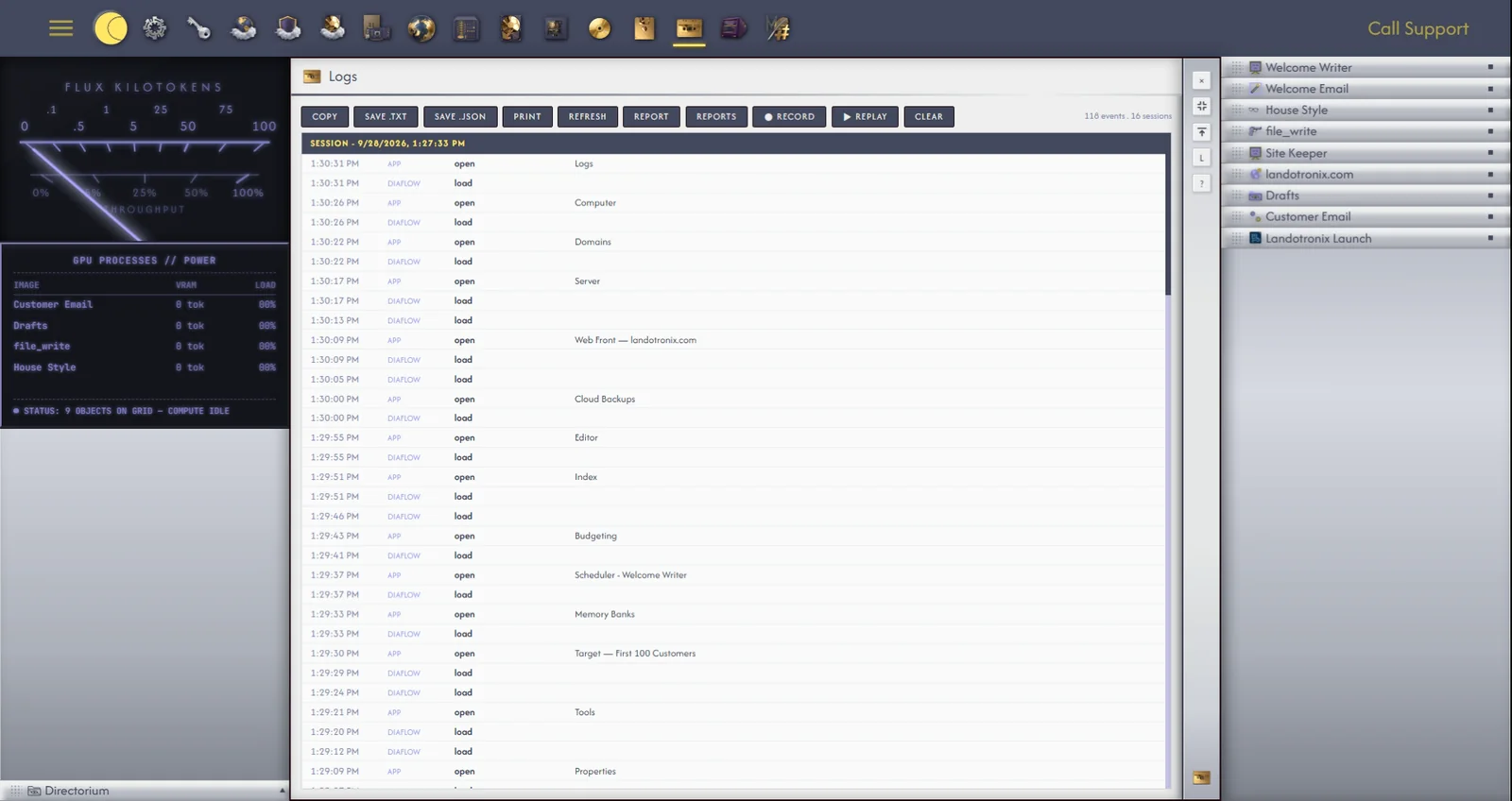
Logs lists your Gridtop's activity, visit by visit (19.3), naming for each message to an agent the provider and model it was set to. Its toolbar copies, saves and prints the log, and Clear empties it, after a second click on Confirm Clear.
With Include log ticked, your report carries your last few hundred activity events, details of your browser or app, your screen and window size, the apps you had open, and your account's recent sign-in and security events: what the Privacy Addendum describes (§1), and only what we need to find the problem.
Reports lists the reports you have sent, each Open, Answered or Resolved, with our replies. We also reply by email.
When a problem is hard to describe, record it. ● Record, on the Logs toolbar, records what you do: your clicks and keys, what you type, your choices, drags and scrolling, Gridtop's readouts, and the requests it makes. While it records, a red Stop pill stays on the screen with the time so far. Recording observes only, and never records passwords: anything typed into a field for a password, key, token, card or code is kept as (hidden).
Click Stop to finish. The recording is saved to your Recordings folder (15.7) as recording- with the date and time, and opens in the Editor; attach it to a report (35.2), and we see exactly what you saw. A recording in progress is written to the folder every half-minute or so, as (unfinished), and once more as the page closes, so a crash loses nothing.
The ▾ beside Record opens the rest:
Replay... plays a recording back. Choose one, and a strip of controls appears at the foot of the screen. Play returns your Gridtop to the way it was when the recording began, then repeats every click, drag, keystroke and choice with its original timing, behind a visible pointer.
The controls offer Play, Pause and Resume, the speed (½×, 1×, 2× or 4×), and Shots, which goes straight to any moment you marked and leaves the screen as it was then. F8 shows or hides the controls; Hide puts them away until you press F8. Stop ends the replay. Capture plays the recording to the end and saves every Shot as a picture, in Agentic Matrix ▸ Recordings ▸ Shots.
Replay changes nothing: while it plays, nothing is saved, nothing is sent to your websites, and no agent is asked anything. When it ends, your Gridtop is reloaded as it was before.